Zebox Help PageZebox Help PageZebox Help Page

Identify zeBox

Step 1. Go to settings menu (Link how the get to settings)
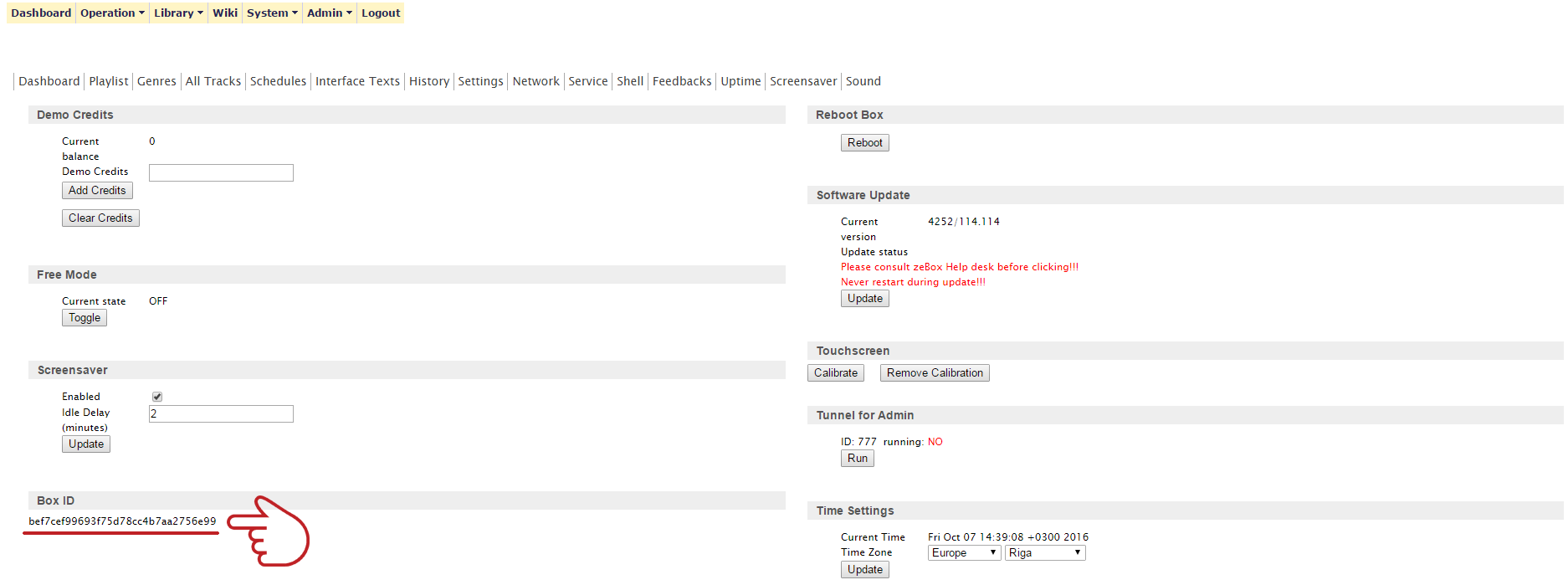
Step 2. Got to Service tab


Step 3. Find the Box ID  

© 2016 Zebox. All Rights Reserved. Designed By JoomLead

Zebox help menu

  • Backend timed out (service_ready)
  • BIOS Error
  • Coin Acceptor
  • Connecting to internet
  • Identify zeBox
  • Low volume level
  • Mobile Manager
  • Money Collection
  • Replacing All-in-One PC
  • Replacing Hard Disk Drive
  • Settings Menu
  • Wall mounting
  • Welcome to zebox help page